 Clement Brako Akomea
Table of Contents
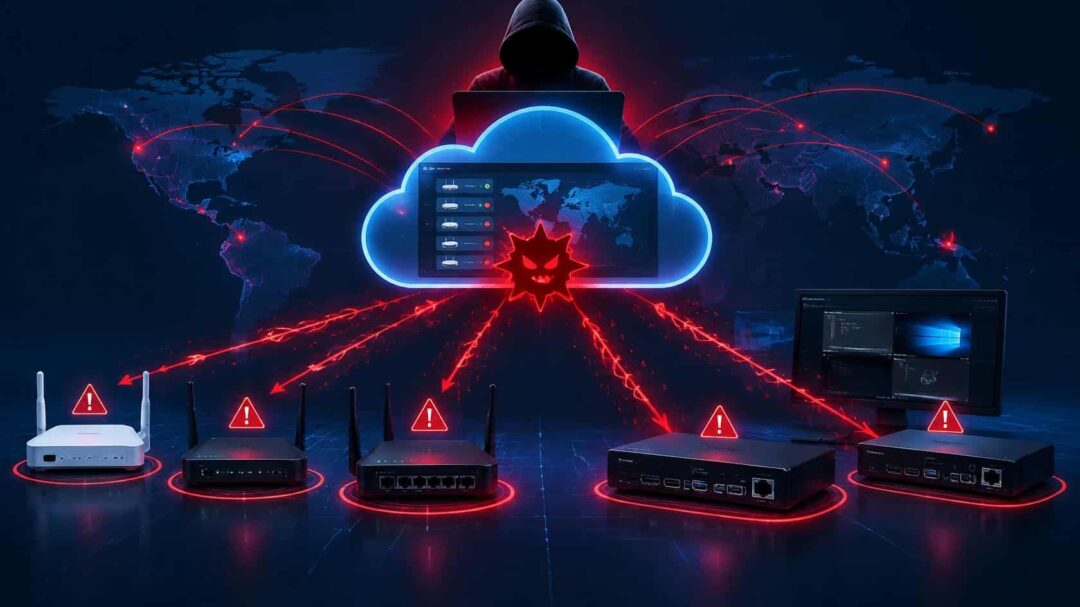
The GL.iNet GoodCloud incident involved attackers abusing flaws in the vendor’s cloud management service to install malware on routers and KVM devices. GL.iNet describes it in a security notice issued on November 20, 2026, saying an unauthorized party exploited a vulnerability in the service.
The notice says GL.iNet identified and blocked the attack path on November 20. The company has not said how many devices were affected, and CVE identifiers are still pending.
Owners of GL.iNet routers and KVMs, including home users, small offices and remote workers, should pay attention. Anyone who used GoodCloud remote management should update firmware and check for signs of compromise.
GL.iNet GoodCloud Incident: Key Takeaway
- Install the latest security firmware for your exact model, and if you suspect compromise, reinstall firmware without keeping settings and change stored credentials.
This section contains affiliate links; we may earn a commission at no cost to you.
Keep an eye on what is connected. Auvik offers network monitoring and management, which helps you notice unusual devices and traffic.
Track weaknesses in your devices. Tenable offers vulnerability management.
What Happened: Attackers Reached Devices Through the Cloud Service
GL.iNet’s notice says the problem lies in the GoodCloud messaging service, which is based on EMQX, a message broker. A client could send management messages to other users’ connected devices without the required permission. Separately, a command injection flaw in the AstroWarp SD-WAN feature could cause management input to run as root commands, even with AstroWarp turned off. The notice also lists a TLS certificate verification issue in KVM remote access, fixed in KVM firmware 1.10.3 for the RM series and 1.8.7 for the RMQ1.
The Hacker News reported the incident on November 23, 2026 and found no CVE identifier at the time of publication.
Timeline
- November 20, 2026: GL.iNet identified and blocked the attack path and issued its notice.
- November 23, 2026: the notice was updated, and GL.iNet says it is still working out how many devices were affected.
The notice gives no start date for the attacks.
What the Notice Does Not Say
The malware is not named. The notice gives one indicator: a process whose command line contains “crond -i /tmp/.log”. The number of affected devices is not stated. GL.iNet also says the models listed are those with published security firmware, not confirmed compromised models.
Independent Research
An independent group, RemoteToHome Consulting, published its own findings on GitHub. It states that its page is not an official GL.iNet page. Its claims are not confirmed by GL.iNet and should be read as such.
- It reports root remote shells to the address 170.39.226.219 on GL-AXT1800 routers running firmware 4.8.3, starting on November 20, 2026.
- It traces unchecked code to a GoodCloud client handler present since GL-MT3000 firmware 4.7.0, released December 5, 2024.
- It says it found a separate, older backdoor on 49 routers it manages, installed between September 2025 and May 2026 by an unknown route.
- It says GL.iNet’s published check detects only one indicator and does not catch everything.
- Of 199 routers it could reach, it reports 166 showing the attack, the older backdoor or both. These are its own managed devices, not a global total.
Who Is Affected
GL.iNet lists minimum fixed firmware by model. Examples from the notice include GL-MT3000, GL-MT6000 and GL-MG1300 on 4.11.1, GL-E5800 on 4.10.3, GL-BE3600 and GL-BE9300 on 4.10.2, and GL-MT2500 and GL-X2000 on 4.7.14. KVM models RM1, RM1V2, RM10, RM10RC, RM1PE and RM4PE need 1.10.3, and RMQ1 needs 1.8.7. Check the notice for your exact model, because the list is long and includes older models on 4.3.31.
Steps Administrators Can Take
- Install the latest stable security firmware for your exact model.
- If compromise is known or suspected, disconnect the device if it is safe to do so and contact GL.iNet support.
- For the strongest recovery, install the firmware without keeping settings and set the device up again manually. GL.iNet says keeping settings is an option with less recovery assurance.
- Change admin passwords and any VPN or SSH keys stored on the device.
- For a KVM, check the attached computer for unfamiliar accounts, software and startup items.
- Look for a process containing “crond -i /tmp/.log”.
- As general hardening ideas that are not statements from GL.iNet, consider turning off remote management features you do not use.
The Hacker News said the update removes the malware without a factory reset. The vendor notice instead describes targeted cleanup, recommends reinstalling without keeping settings, and says a factory reset alone does not install the fixes. Follow the vendor notice.
Implications
Cloud Management Is a Shared Attack Surface
One weakness in a central service can expose many devices at once. Convenience features that connect devices to a vendor cloud deserve the same scrutiny as open ports.
Edge Devices Remain Popular Targets
Routers sit at the network edge and often lack endpoint security. Our earlier coverage of router credential attacks and Mirai style botnets shows the same pattern.
KVMs Extend the Risk to Attached Computers
A compromised KVM can reach the machine it controls. That is why the notice tells owners to check the attached computer too.
Disclosure Gaps Make Response Harder
Without a device count, model list of compromised units or a named malware family, owners must decide on their own. Independent researchers filled some gaps, but their findings are unverified by the vendor.
This section contains affiliate links; we may earn a commission at no cost to you.
Add endpoint threat detection. Bitdefender provides antivirus, threat detection and online privacy software for individuals, businesses and managed service providers.
Looking Forward
The CVE identifiers are pending, so official severity scores are not yet available. GL.iNet has not named the malware or said how many devices were hit.
Independent researchers say they reported a further weakness on November 22, 2026 and withheld details. Owners should watch the GL.iNet notice for further updates.
Questions Worth Answering
What is the GL.iNet GoodCloud incident?
- It is an attack in which an unauthorized party exploited a vulnerability in GL.iNet’s cloud service and installed malware on some routers and KVM devices.
Has a CVE been assigned?
- Not yet. GL.iNet says it submitted CVE reports and the identifiers are pending.
Which GL.iNet devices are affected?
- The notice lists many router and KVM models with published security firmware. It says these are not all confirmed compromised.
How many devices were compromised?
- GL.iNet has not said. It is still determining the number.
What malware was installed?
- The notice does not name it. It gives one indicator, a process containing “crond -i /tmp/.log”.
How do I fix my router?
- Install the latest security firmware for your model. For the strongest recovery, install it without keeping settings and reconfigure manually.
Is a factory reset enough?
- GL.iNet says a factory reset alone does not install the security fixes, so firmware must also be updated.
Should I change my passwords?
- GL.iNet advises changing admin passwords and any VPN or SSH keys stored on the device if you suspect compromise.
Did independent researchers confirm more?
- RemoteToHome Consulting reports root shells and an older backdoor on routers it manages. GL.iNet has not confirmed these findings.
Does this affect KVM devices?
- Yes. The notice lists KVM models and a TLS verification issue fixed in firmware 1.10.3 and 1.8.7.
This section contains affiliate links; we may earn a commission at no cost to you.
More tools worth a look: 1Password for logins, Optery for personal data removal and EasyDMARC for spoofed email.