


 Clement Brako Akomea
 Table of Contents
Two-factor authentication (2FA) has become the cornerstone of modern cybersecurity defense. With data breaches compromising billions of accounts annually, relying solely on passwords leaves your digital assets vulnerable to credential theft, phishing attacks, and unauthorized access.
This comprehensive guide explores everything you need to know about two-factor authentication, from basic concepts to implementation strategies, helping you fortify your online security against evolving cyber threats.
What Is Two-Factor Authentication?
Two-factor authentication (2FA) is a security protocol that requires users to provide two distinct authentication factors before gaining access to an account, application, or system. This multi-layered approach significantly reduces the risk of unauthorized access, even when passwords are compromised.
The Three Authentication Factor Categories
Authentication factors fall into three distinct categories:
Knowledge Factors (Something You Know)
- Passwords and passphrases
- PIN codes
- Security questions and answers
Possession Factors (Something You Have)
- Mobile devices receiving SMS codes
- Hardware security keys (YubiKey, Titan Security Key)
- Authenticator apps generating time-based codes
Inherence Factors (Something You Are)
- Fingerprint scans
- Facial recognition
- Retinal or iris patterns
- Voice recognition authentication
Effective two-factor authentication combines two different categories, creating a security barrier that withstands most attack vectors.
How Two-Factor Authentication Works
The 2FA authentication process follows a straightforward but powerful workflow:
Step 1: Primary Authentication
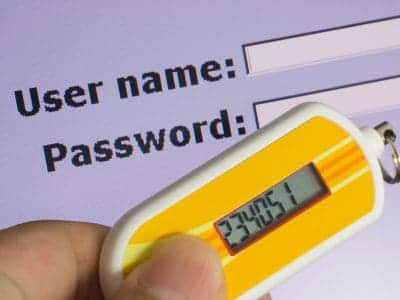
Users enter their username and password as the first verification layer.
Step 2: Secondary Challenge
The system prompts for a second authentication factor, which varies based on the chosen method:
- A six-digit code sent via SMS
- A time-based one-time password (TOTP) from an authenticator app
- Biometric verification through fingerprint or facial recognition
- Physical security key insertion or tap
Step 3: Verification and Access
Once both factors successfully verify, the system grants access to the protected resource.
This process ensures that even if attackers steal or crack your password through phishing attacks or data breaches, they cannot access your account without the second factor.
Types of Two-Factor Authentication
SMS-Based Authentication
SMS-based 2FA sends verification codes to your registered mobile number. While widely adopted due to its accessibility, this method has notable security limitations.
Advantages:
- Universal accessibility (no special apps required)
- Simple user experience
- Immediate code delivery
Limitations:
- Vulnerable to SIM swapping attacks
- Susceptible to SMS interception
- Dependent on cellular network coverage
For enhanced security, security experts recommend transitioning to authenticator apps or hardware tokens.
Authenticator Apps (TOTP)
Time-based one-time password (TOTP) authenticator apps generate six-digit codes that refresh every 30 seconds. Popular options include:
- Google Authenticator
- Authy
- Microsoft Authenticator
- 1Password
How TOTP Works: Authenticator apps use a shared secret key and the current timestamp to generate unique codes through cryptographic algorithms. These codes work offline, providing security even without internet connectivity.
Benefits:
- No dependency on cellular networks
- Resistant to SIM swapping
- Supports multiple accounts in one app
- Works offline after initial setup
Hardware Security Keys
Hardware tokens represent the gold standard in two-factor authentication security. These physical devices, like YubiKey, Titan Security Key, and other FIDO2-compliant tokens, provide cryptographic proof of identity.
Use Cases:
- Online banking and financial services
- Enterprise and corporate networks
- High-security government systems
- Cryptocurrency wallets
Advantages:
- Immune to phishing attacks
- No reliance on phone networks
- Extremely durable and reliable
- Supports multiple protocols (FIDO U2F, FIDO2, WebAuthn)
Biometric Authentication
Biometric 2FA methods leverage unique biological characteristics for identity verification. Modern implementations include:
- Fingerprint scanners
- Facial recognition systems
- Iris and retinal scans
- Voice pattern analysis
Biometric authentication offers unparalleled convenience while maintaining strong security, though it raises privacy considerations that organizations must address.
Why Two-Factor Authentication Matters
Protection Against Common Cyber Threats
Two-factor authentication provides critical defense against multiple attack vectors:
Credential Stuffing Attacks When attackers use stolen username-password combinations from previous breaches, 2FA blocks access even with valid credentials.
Phishing and Social Engineering Even if users fall victim to sophisticated phishing schemes, attackers cannot bypass the second authentication factor.
Brute Force Attacks 2FA renders password-guessing attacks ineffective, as attackers lack the secondary verification method.
Malware and Keyloggers While malware may capture passwords, it cannot replicate time-sensitive codes or biometric data.
Real-World Impact Statistics
Research consistently demonstrates 2FA’s effectiveness:
- Microsoft reports that 2FA blocks 99.9% of automated attacks on cloud accounts
- Google studies show that SMS codes block 100% of automated bot attacks and 96% of bulk phishing attacks
- Security keys stop 100% of automated attacks, bulk phishing, and targeted attacks
Regulatory Compliance Requirements
Many industries mandate two-factor authentication for compliance:
- HIPAA for healthcare providers
- PCI DSS for organizations handling payment card data
- GDPR for protecting EU citizen data
- SOX for financial reporting systems
- FERPA for educational institutions
Implementing 2FA helps organizations meet these regulatory requirements while protecting sensitive data.
Setting Up Two-Factor Authentication
Platform-Specific Setup Guides
Google Accounts:
- Navigate to your Google Account security settings
- Select “2-Step Verification”
- Choose your preferred method (authenticator app, phone prompts, or security key)
- Complete the verification process
- Save backup codes securely
- Access Security and Login settings
- Enable “Two-Factor Authentication”
- Select authentication method
- Verify your phone number or set up an authenticator app
- Install a 2FA plugin (Google Authenticator, Wordfence)
- Scan the QR code with your authenticator app
- Enter the verification code to confirm setup
- Configure backup options
Best Practices for Implementation
Generate and Store Backup Codes Always save backup codes in a secure location (password manager, encrypted file, or physical safe). These codes provide account access if you lose your primary authentication device.
Designate Trusted Devices Mark frequently used devices as trusted to streamline the authentication process without compromising security.
Set Up Multiple Authentication Methods Configure backup 2FA methods to prevent lockouts. For example, use both an authenticator app and hardware key.
Regular Security Audits Periodically review active sessions, trusted devices, and authentication methods. Remove old devices and revoke access for unused accounts.
Educate Users Training users on proper 2FA usage reduces support tickets and improves overall security posture.
Industry-Specific Applications
Small Business Implementation
Small businesses face unique challenges when implementing 2FA—balancing cost constraints with security needs. Free solutions like Google Authenticator and Authy provide enterprise-grade protection without licensing fees.
Remote Work Security
The shift to distributed workforces makes 2FA essential for remote access. Virtual private networks (VPNs), cloud applications, and remote desktop connections all benefit from multi-factor authentication.
Gaming and Entertainment
Gaming platforms increasingly adopt 2FA to protect player accounts, in-game purchases, and virtual assets worth thousands of dollars.
IoT and Smart Devices
Connected devices in smart homes require robust authentication to prevent unauthorized access to cameras, door locks, and home automation systems.
Developer Integration
Developers implementing 2FA have numerous APIs and libraries available, including authentication services from Google, Microsoft, and specialized security providers.
Challenges and Solutions
Usability Versus Security Balance
Organizations must balance security requirements with user experience. Overly complex authentication processes decrease adoption rates and increase support costs.
Solutions:
- Implement adaptive authentication that adjusts requirements based on risk
- Use device fingerprinting to reduce authentication frequency for trusted devices
- Provide clear instructions and multiple authentication options
Device Loss and Account Recovery
Losing access to authentication devices creates account recovery challenges.
Mitigation Strategies:
- Store backup codes in secure locations
- Configure multiple authentication methods
- Establish clear account recovery procedures
- Use multi-device 2FA solutions that sync across devices
Adoption Resistance
Users and employees may resist 2FA due to perceived inconvenience.
Overcoming Resistance:
- Demonstrate security benefits with real-world breach examples
- Provide comprehensive training and support resources
- Implement gradual rollouts with user feedback loops
- Choose user-friendly authentication methods
Common Vulnerabilities and Mitigation
While two-factor authentication significantly improves security, certain vulnerabilities require attention:
SIM Swapping Attacks Attackers convince mobile carriers to transfer your number to their SIM card. Mitigation: Use authenticator apps or hardware keys instead of SMS.
Session Hijacking Attackers steal session cookies after successful authentication. Mitigation: Implement short session timeouts and re-authentication for sensitive actions.
Man-in-the-Middle Attacks Attackers intercept authentication codes during transmission. Mitigation: Use encrypted connections (HTTPS) and hardware security keys.
Social Engineering Attackers manipulate users into revealing authentication codes. Mitigation: Security awareness training and clear policies against sharing codes.
Future of Two-Factor Authentication

Emerging Technologies
Future trends in 2FA point toward seamless, passwordless authentication:
Behavioral Biometrics Analyzing typing patterns, mouse movements, and interaction behaviors for continuous authentication.
Quantum-Resistant Cryptography Developing authentication methods that withstand quantum computing attacks.
Passwordless Authentication WebAuthn and FIDO2 standards enable authentication without passwords, using biometrics or security keys exclusively.
Artificial Intelligence Integration Machine learning algorithms detect anomalous login attempts and adjust authentication requirements dynamically.
Industry Evolution
Major technology companies are moving toward passwordless systems:
- Microsoft allows users to completely remove passwords from accounts
- Apple’s Passkeys leverage biometrics and device trust
- Google promotes security key adoption for high-value accounts
Implementing 2FA Across Your Organization
Assessment and Planning
- Inventory Critical Systems Identify all applications, systems, and accounts requiring 2FA protection
- Risk Assessment Evaluate security risks and prioritize high-value targets
- Method Selection Choose appropriate 2FA methods based on user needs and security requirements
- Pilot Program Test implementation with a small user group before full rollout
Deployment Strategy
Phase 1: High-Risk Accounts Deploy 2FA first on administrator accounts and systems accessing sensitive data.
Phase 2: General User Rollout Extend 2FA to all user accounts with comprehensive training and support.
Phase 3: Continuous Improvement Monitor adoption rates, collect user feedback, and refine authentication policies.
Measuring Success
Track these key metrics:
- 2FA adoption rate across the organization
- Reduction in successful account compromises
- Authentication failure rates and lockout incidents
- User satisfaction and support ticket volume
- Compliance audit results
Conclusion
Two-factor authentication represents one of the most effective security measures available today. By requiring multiple forms of identity verification, 2FA protects against the vast majority of account takeover attempts, credential theft, and unauthorized access.
Whether you’re an individual protecting personal accounts or an organization securing enterprise systems, implementing two-factor authentication is no longer optional—it’s essential for maintaining robust cybersecurity in an increasingly threat-laden digital landscape.
Take Action Today:
- Enable 2FA on your most critical accounts (email, banking, social media)
- Use authenticator apps or hardware keys instead of SMS when possible
- Store backup codes in a secure password manager
- Educate family members and colleagues about 2FA benefits
- Regularly audit and update your authentication methods
The extra few seconds spent on authentication can save countless hours recovering from a security breach. Protect your digital identity and enable two-factor authentication now.
Frequently Asked Question
What is two-factor authentication and how does it work?
Two-factor authentication (2FA) requires users to provide two different forms of verification before accessing an account. Typically, this combines something you know (password) with something you have (phone, security key) or something you are (biometric data).
Is two-factor authentication really necessary?
Yes. 2FA blocks 99.9% of automated attacks according to Microsoft research. With billions of credentials stolen in data breaches, passwords alone no longer provide adequate protection.
Which 2FA method is most secure?
Hardware security keys (FIDO2-compliant tokens) provide the strongest protection, followed by authenticator apps. SMS-based 2FA, while better than nothing, offers the weakest security due to SIM swapping vulnerabilities.
Can hackers bypass two-factor authentication?
While sophisticated attackers can bypass 2FA through advanced techniques like session hijacking or social engineering, these attacks require significantly more effort and skill than simple password theft. 2FA blocks the vast majority of attacks.
What happens if I lose my phone with 2FA?
Use backup codes stored securely when setting up 2FA. Additionally, configure multiple authentication methods (backup phone, security key) to maintain access if one device is lost.
Does 2FA work without internet?
Authenticator apps using TOTP work offline after initial setup. However, SMS-based 2FA requires cellular connectivity, and push notification methods need internet access.




